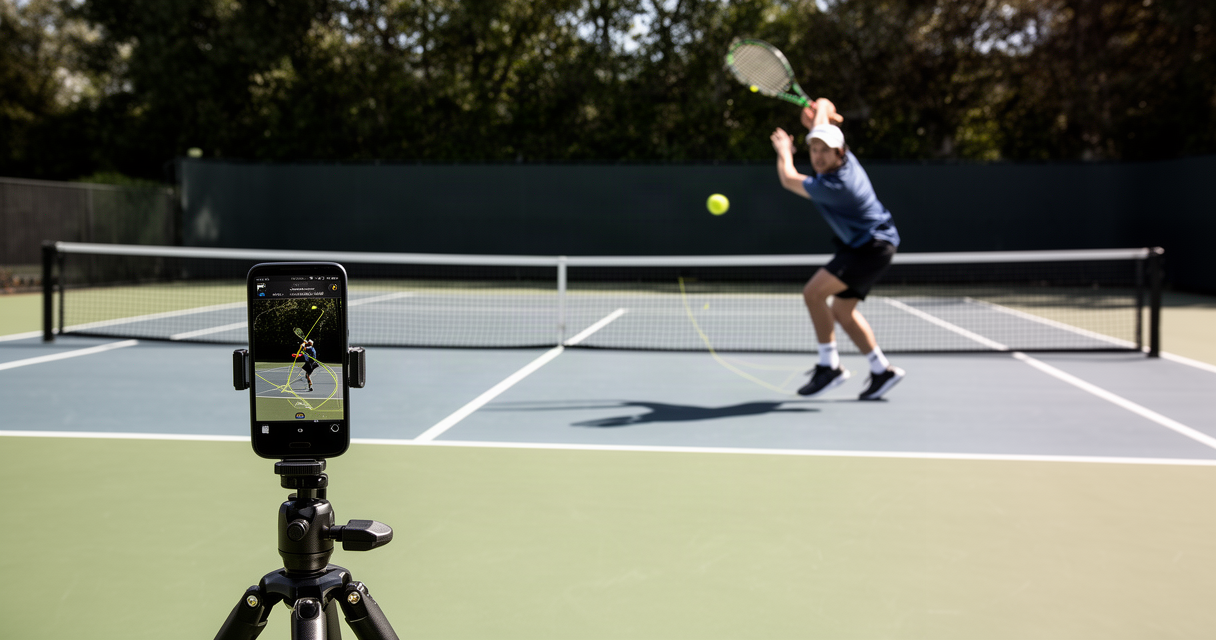
SwingVision has been the default answer to “how do I record and analyze my tennis matches” since 2019 — but only for players who own an iPhone. The Android answer has been “wait” for seven years running, and 2026 has not changed that.
The stakes are practical, not abstract. More than half of tennis players carrying a smartphone onto the court are on Android, and none of them can open the app that dominates every “best tennis app” list. That gap has produced a real market of SwingVision alternatives for Android, each solving a different piece of what SwingVision does.
The short version: AceSense is the closest direct replacement for shot tracking and match reports. Ten-Fifty5 fits players who compete occasionally and want a coach-style breakdown per match without a subscription. RallyCut and PerfectSwing solve the free dead-time-trimming problem and nothing more. None of them — SwingVision included — fixes anyone’s backhand.
The six options below, and who each one actually serves, follow.
Why SwingVision Still Won’t Come to Android in 2026
SwingVision Pro runs $14.99 a month or $179.99 a year, and iOS exclusivity has been the price of entry since launch. A February 2026 thread in r/10s about the Android gap pulled 277 upvotes and 262 comments — a volume that signals a genuinely underserved audience, not a niche complaint.
One frustrated player in that thread put the core problem plainly: “SwingVision is still handicapped by the fact that you need an Apple device to literally do anything. Even if you want to do post processing of a video taken by an android or go pro device, you still need a Mac or iPad to upload it. Ridiculous! Until they support OS neutral uploads for post processing Swing Vision is dead in the water for more than half of the tennis user base.”
Another player in the same thread described the workaround fatigue that pushed them toward building something else: “About 2 years ago, I started recording my sessions to fix my form, but I realized that reviewing footage is a nightmare. I looked into apps like SwingVision, But here’s the thing: they still don’t support Android, and as a student, I couldn’t justify spending $200 a year on a subscription.”
Not every commenter reads the lockout as intentional. One pushed back with a hardware-based explanation: “I’m so tired of people claiming that SwingVision avoids Android intentionally - the hardware just hasn’t been as good as Apple Silicon until recently.”
That defense has some technical grounding — on-device pose tracking and ball detection are compute-heavy, and Apple’s chip advantage was real for years. But “hasn’t been as good until recently” doesn’t explain a seven-year gap when mid-range Android phones from 2023 onward have run comparable neural processing units. A company that built its entire product around iOS from day one, and never shipped even a limited Android beta, made a business choice to gatekeep by phone brand — not a choice forced by silicon.
The Best SwingVision Alternatives for Android at a Glance
The tennis swing analysis apps below run on Android, cost less than SwingVision, or both — ranked by what each one actually replaces:
| App | Platform | Pricing Model | Core Feature | Best For |
|---|---|---|---|---|
| SwingVision | iOS only | $14.99/mo or $179.99/yr | AI shot tracking, line calling, match stats | iPhone owners |
| AceSense | iOS + Android | Free (3/mo), Pro €19/mo, Team €49/mo | Ball tracking, court detection, pose-based shot classification, PDF report | Closest like-for-like swap |
| Ten-Fifty5 | Web, any camera | Pay-per-match: $25 / $50 (3) / $100 (5), credits don’t expire | 450+ data points per match + AI coach breakdown | Occasional competitive matches |
| TennisAI.net | Web upload | €15/mo or €150/yr | Automated analysis from uploaded video | Budget web-based option |
| OnForm | iOS + Android | Coach $19.99–$59.99/mo, Athlete $9.99–$14.99/mo | Markup, slow-mo, voiceover for coach review | Players working with a real coach |
| RallyCut / PerfectSwing | Android + iOS | Free basic tier; RallyCut Pro unlimited, PerfectSwing $4/mo advanced | Dead-time trimming | Free, no-frills editing |
Pricing and feature claims reflect official product pages as of early September 2026.
AceSense — Closest to a Direct SwingVision Swap
AceSense vs SwingVision is the comparison most Android players actually care about, and AceSense is the option most likely to satisfy someone who wants SwingVision’s exact feature set, minus the Apple requirement. The free tier includes three analyses per month, with Pro at €19/mo and a Team tier at €49/mo for coaches managing multiple players.
The core pipeline mirrors SwingVision’s approach: ball tracking, automated court detection, and pose-based shot classification that separates forehands, backhands, serves, and volleys without manual tagging. Matches export as a PDF report, giving players a stat sheet to compare session over session. It’s a native Play Store app, not a web upload workaround, which matters for anyone who wants to record and review from the same device courtside.
The caveat is real: “closest to SwingVision” is not the same as “as accurate as SwingVision.” No independently verified head-to-head accuracy comparison between AceSense and SwingVision currently exists — no matched dataset, no shared test conditions, no third-party benchmark. Anyone treating AceSense’s shot-classification numbers as SwingVision-equivalent is taking that on faith, not evidence.
Ten-Fifty5 — Pay-Per-Match Depth for Competitive Players
Ten-Fifty5 skips the subscription model entirely. It’s web-based and works with footage from any camera, including a GoPro mounted courtside — a real advantage for players who don’t want their phone locked to a tripod for two hours.
The depth per match is the selling point: over 450 data points per match, paired with an AI coach layer that frames the numbers into a match-level breakdown rather than a raw stat dump. Pricing runs per match rather than per month — one match for $25, three for $50, five for $100 — and purchased credits never expire. The first match is free, which makes it a low-risk way to test whether the depth justifies the per-match cost.
The tradeoff is obvious: a player logging weekly practice sessions burns through credits fast at $25 apiece. Ten-Fifty5 is built for tournament players who want a deep analysis of specific competitive matches, not for someone recording every hitting session.
TennisAI.net and OnForm — the Web-Upload and Coach-Platform Options
TennisAI.net takes the simplest approach on this list: upload match video through a browser, get automated analysis back. Pricing sits at €15/mo or €150/yr, undercutting SwingVision on cost while asking players to handle their own recording and upload rather than offering an integrated capture app. It fills a narrow gap — a budget option for players comfortable with a web workflow — without matching the polish of AceSense’s native app experience.
OnForm takes a different angle entirely. It now ships an Android app for coaches, expanding beyond its original iOS-only footprint. But OnForm isn’t an AI shot-classification tool competing with SwingVision — it’s a coaching platform. Coach accounts run $19.99–$59.99/mo, and athlete accounts run $9.99–$14.99/mo, and the core functionality is markup tools, slow-motion playback, and voiceover annotation layered onto video a real coach reviews.
That distinction matters for anyone comparing tools on the wrong axis. OnForm doesn’t generate automated line calls or shot stats — it makes a human coach’s feedback loop faster. It’s the right pick only for players who already have, or want, a coach in the loop.
RallyCut and PerfectSwing — Free, Scrappy, Built by Frustrated Players
RallyCut and PerfectSwing are the closest thing to a free tennis video analysis app for Android on this list, and both attack the same narrow problem: a two-hour match video where maybe 20 minutes is actual ball-in-play footage. Neither claims to do line-calling or shot classification, and that restraint is the point.
RallyCut’s free tier processes one video a month, cutting up to 30 minutes of dead time for free; the Pro tier removes the monthly cap. PerfectSwing has a more interesting origin story — it grew directly out of the same 277-upvote r/10s thread frustrated players used to vent about SwingVision’s Android lockout, and as of version 2.0 it runs the trimming process on-device rather than uploading footage to a server. The free basic tier handles rally trimming; the advanced tier runs $4/mo.
One player in an earlier r/10s thread comparing SwingVision to cheaper alternatives described exactly what this category of tool is replacing: “Swing Vision doesn’t do that. It will ‘only’ shoot, cut dead time and provide stats for the matches. In order to improve it’s basically you filming and editing yourself, creating side-by-sides using other videos from the internet, etc.” That’s a fair description of what RallyCut and PerfectSwing already do for free — minus the stats layer, which neither product promises.
Our Take: The Best SwingVision Alternative for Android, Ranked by Use Case
The decision splits cleanly by use case. A player who wants the closest SwingVision-style experience for casual match tracking should start with AceSense’s free tier before paying for anything. A player who only needs dead-time cut out of long match footage should use RallyCut or PerfectSwing and stop there — paying for AceSense or Ten-Fifty5 for that single function is overkill. A player who plays a handful of real competitive matches a month and wants deep per-match analysis should use Ten-Fifty5’s credit system rather than committing to a subscription. A player who already works with a coach should use OnForm to speed up that relationship, not to replace it. TennisAI.net is worth skipping unless the €15/mo price point specifically beats every other option for a given budget — it doesn’t distinguish itself on features.
The broader opinion worth stating plainly: every claim of “AI shot classification” or “AI line calling” — SwingVision’s included — deserves the same skepticism fitness-influencer supplement claims get. A player in r/10s reviewing SwingVision’s paid tier summarized it bluntly: “It’s a good trimming service but everything else is snake oil. Line calling, shot speed and spin are all sketchy at best.”
That skepticism extends to pricing logic, not just accuracy. Another commenter in the same thread named the business model directly: “When you’re the sole provider you set the price based strictly on the value to the consumer - the cost of production has nothing to do with it.” SwingVision has held that sole-provider position on iOS for seven years, and the price has tracked what the market would bear, not what the underlying compute costs. AceSense and Ten-Fifty5 entering the Android market is the first real pressure on that pricing — competition, not generosity, is what moves prices down.
Can Any of These Apps Actually Replace a Tennis Coach?
None of them can, and SwingVision’s own user base has already made that case. Line-calling accuracy complaints are common enough that one player summarized the sentiment flatly: “SwingVision line-calling and their ‘AI’ is pretty consistently terrible.” If the most established product in the category can’t reliably call lines, no Android alternative built on a smaller budget is going to nail biomechanical form correction.
What every app in this category actually delivers is a video mirror — footage of a swing, a serve, a rally, played back for the player to compare against their own sense of what happened. That’s genuinely useful. It is not coaching. The same limitation shows up across every sport this channel covers: AI form-check apps that don’t need a spotter hit the same ceiling in the weight room, AI golf swing analyzer apps hit it on the driving range, PB Vision for pickleball players hits it on the pickleball court, and Carv for self-taught skiers hits it on the slope. The pattern holds: automated video analysis flags what happened. It does not explain why, and it does not know if a fix will cause an injury elsewhere in the kinetic chain. A real coach still does that job better than any app on this list.
Frequently Asked Questions
Does AceSense track shots as accurately as SwingVision?
There’s no independently verified head-to-head accuracy comparison between the two apps. AceSense’s feature set closely mirrors SwingVision’s — ball tracking, court detection, pose-based shot classification — but claims of equivalent accuracy should be treated as unproven until third-party testing exists.
Does SwingVision Work on Android in 2026?
No. SwingVision remains iOS-only in 2026, and nothing on its official channels indicates an Android release is planned. The seven-year gap, combined with the company’s continued iOS-exclusive pricing structure, suggests the lockout is a durable business decision rather than a temporary hardware limitation.
What’s the best free SwingVision alternative for Android?
RallyCut and PerfectSwing are the strongest free options, but both are limited to trimming dead time out of match footage — neither offers shot classification or stats. AceSense’s free tier (three analyses a month) is the closest free option to SwingVision’s actual feature set.
Do any of these apps analyze tennis technique or form?
Not in the way a coach would. Every app on this list, SwingVision included, generates video clips, basic stats, or shot classification — none perform biomechanical form analysis. Players looking to fix a specific technical flaw still need a coach’s eye on the footage.
Is Ten-Fifty5’s pay-per-match pricing cheaper than a SwingVision subscription?
It depends on frequency. A player who competes in five matches a month spends $100 through Ten-Fifty5’s credit system versus roughly $15 for a SwingVision monthly subscription — SwingVision wins on volume. A player who competes occasionally, and doesn’t want to pay for months of unused subscription time, comes out ahead with Ten-Fifty5’s non-expiring credits.
The Real Fix Isn’t an App
Seven years of Android players asking for a SwingVision port, and the market’s answer has been six separate apps solving six separate slices of the same problem — none of them a full replacement, all of them evidence that the demand was real the entire time. AceSense is the pick for anyone who wants the closest thing to SwingVision’s actual product. RallyCut or PerfectSwing is the pick for anyone who just wants unwatchable footage made watchable, for free. Whichever app gets downloaded, the backhand still needs a coach’s eyes on it — no amount of shot classification changes that.
References
- r/10s — “SwingVision was too expensive and had no Android” — https://reddit.com/r/10s/comments/1r1v2un/swingvision_was_too_expensive_and_had_no_android/
- r/10s — “SwingVision cost vs features” — https://reddit.com/r/10s/comments/1g9pbyr/swingvision_cost_vs_features/
- r/10s — “Swing Vision paid in 2024, my review/rant” — https://reddit.com/r/10s/comments/1etggvm/swing_vision_paid_in_2024_my_review_rant/
- r/10s — “Any cheaper/budget-friendly alternatives to…” — https://reddit.com/r/10s/comments/16lx6hr/any_cheaperbudgetfriendly_alternatives_to/
- SwingVision — App Store listing — https://apps.apple.com/us/app/swingvision-tennis-pickleball/id989461317
- AceSense — official product site — https://acesense.io/
- Ten-Fifty5 — official product site — https://www.ten-fifty5.com/
- TennisAI.net — official pricing page (checked September 2026, no fixed URL provided)
- OnForm — pricing page — https://onform.com/pricing/
- OnForm — “OnForm for Coaches is now on Android” — https://onform.com/blog/onform-for-coaches-is-now-on-android/
- RallyCut — pricing page — https://app.rallycut.com/pricing