MyFitnessPal just bought Cal AI — the viral, teen-built calorie app with 15 million downloads and roughly $30 million in annual revenue. That acquisition reshuffled the entire AI calorie tracking market overnight. If you’re searching for the best AI calorie counter app in 2026, the answer just changed.
If you’re using an AI calorie counter to lose weight, your results depend on whether those calorie estimates are anywhere close to accurate. An app that’s 30% off on your chicken stir-fry can quietly erase an entire week of dieting — and you won’t know until the scale doesn’t move.
Try our free TDEE & Macro Calculator — get your daily calorie and macro targets in seconds, then track against them in whichever app you pick below.
The short version: For most people, MyFitnessPal (free tier, now with Cal AI’s photo scanning built in) is the safest starting point — it has the largest food database and you won’t hit a paywall for basic tracking. If you eat out constantly, SnapCalorie is the best pure photo tracker. If you cook at home and want real accuracy without subscription pressure, Cronometer (free) wins. And if you’re serious about macros, check out our MacroFactor vs Cronometer deep-dive.
Here’s the full breakdown — what each app actually gets right, where they fail on real food, and what the acquisition changes for you.
What the MyFitnessPal + Cal AI Acquisition Actually Means for You
In March 2026, MyFitnessPal acquired Cal AI — the app famous for its “snap a photo, get your calories” pitch and its aggressive influencer marketing campaigns across TikTok and Instagram. Cal AI had roughly $5.9 million in monthly recurring revenue at the time of the deal, per reports from Reddit users tracking the company.
Here’s what actually changed:
- Cal AI’s photo recognition tech is being integrated into MyFitnessPal. MFP users now get AI-powered photo logging on top of the existing 20M+ food database and barcode scanner.
- Cal AI as a standalone app? Still available for now, but its future as an independent product is unclear. If you’re a new user, go straight to MFP — don’t sign up for an app that might get sunset.
- Existing Cal AI subscribers are in limbo. If you’re paying $69.99/year for Cal AI, keep an eye on your subscription status and consider switching to MFP before your renewal.
The bigger story nobody’s talking about: Cal AI was built on influencer marketing, not necessarily superior technology. As one highly-upvoted Reddit comment put it:
“I don’t think they’re actually popular so much as heavily advertised on social media, which includes Reddit. Remember that most app, website, or program recommendations you see in posts or comments have been paid for.” — u/Ace_Procrastinator (189 upvotes, r/loseit)
The fitness industry has always sold magic pills. Cal AI was a magic pill with a camera feature and a brilliant social media budget. The acquisition proves the business model worked — even if the accuracy claims didn’t always hold up.
For users, the practical upside is real: MFP now combines the largest food database in the market with AI photo scanning. That’s genuinely useful. Whether the photo scanning is accurate enough to trust is a different question entirely.
How Accurate Are AI Calorie Counter Apps? The Real Numbers
This is the section every competitor article skips, because the answer isn’t flattering.
On simple, single-ingredient foods — a banana, a plain chicken breast, a packaged protein bar with a barcode — AI calorie apps perform reasonably well. The food is recognizable. The portion is standard. The database match is clean.
On everything else? AI calorie counter accuracy drops hard.
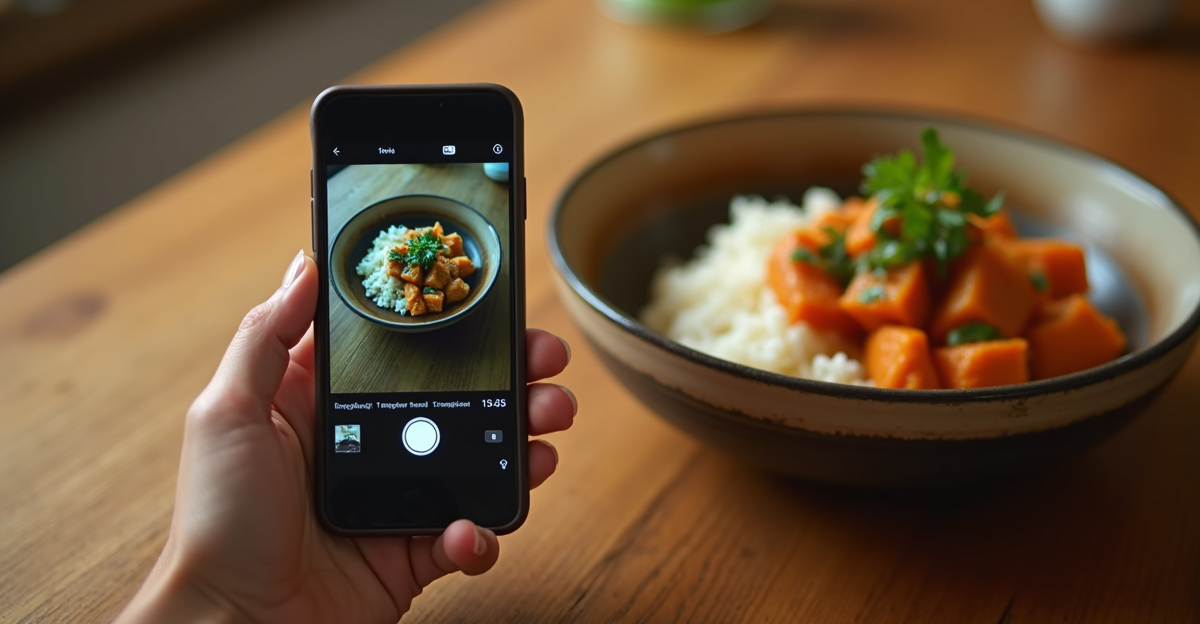
Mixed-ingredient dishes, homemade meals, ethnic food, restaurant portions with hidden oils and sauces — this is where every photo calorie counter consistently falls apart. Apps that claim 90-95% accuracy are measuring themselves under ideal conditions: well-lit photos of single-item meals on white plates. Not your Tuesday night leftover curry.
Community consensus from r/CICO and r/loseit puts real-world accuracy on mixed meals closer to 60-80% — and that’s being generous. A moderator of r/CICO described AI calorie apps as “garbage by and large.”
Real users back that up:
“Holyshit and I thought everyone understood the app is a gimmick that is wildly inaccurate” — u/Alex1851011, r/technology
“If you’re going to calorie count you should do it accurately, i.e. without AI help. Most of the ‘why aren’t I losing weight?’ questions in this sub are due to inaccurate calorie counting.” — u/drimgere, r/CICO
But not everyone agrees. Some users find the ballpark estimates genuinely helpful:
“AI isn’t perfect. But every calorie source has variation anyway. For me it’s not about being 100% accurate. It’s about being consistent enough to see trends.” — u/Aggressive-Dish2582, r/CICO
That’s a fair point — and it’s the right way to think about these apps. AI calorie counters are awareness tools, not precision instruments. If you’re running a tight 200-calorie deficit and relying on photo estimates, you’re building your diet on sand. If you just want a rough sense of what you’re eating, they’ll get you in the neighborhood.
The apps that claim 90%+ accuracy aren’t lying — they’re measuring themselves on photogenic single-ingredient meals, not your grandmother’s stew. Know that going in, and you’ll be fine.
The 6 Best AI Calorie Counter Apps in 2026 — Compared
| App | Best For | AI Photo Scanning | Food Database | Free Tier | Paid Price |
|---|---|---|---|---|---|
| MyFitnessPal | Most people | ✅ (Cal AI tech) | 20M+ items | ✅ Functional | ~$80/year |
| SnapCalorie | Restaurant meals | ✅ (core feature) | Moderate | ❌ | ~$8/month |
| Cronometer | Home cooks, micronutrients | ❌ | Curated, verified | ✅ Generous | ~$40/year |
| Lose It! | Casual trackers | ✅ (AI Snap) | Large | ⚠️ Limited | ~$40/year |
| Cal AI | Nobody (uncertain future) | ✅ | Small | ❌ | $69.99/year |
| Nutrola | AI-first experience | ✅ | Growing | ⚠️ Limited | ~$60/year |
1. MyFitnessPal — Best All-Rounder
MFP was already the default AI calorie tracker app for most people. Post-acquisition, it now has Cal AI’s photo recognition layered on top of a 20M+ food database and the most mature barcode scanner in the market. The free tier is functional for basic tracking — you can log meals, scan barcodes, and access limited AI photo features without paying.
Premium (~$80/year) unlocks full AI photo scanning, detailed macros, and meal planning. It’s the most expensive option, but you’re paying for the largest ecosystem.
Weakness: The app has become bloated over the years. The UI isn’t as clean as newer competitors, and MFP has a history of aggressive upselling inside the app.
2. SnapCalorie — Best for Restaurant Meals
If your diet is mostly restaurant food and takeout, SnapCalorie’s photo recognition is the most refined in the category. It uses depth estimation and portion-size analysis that’s a step above simple image recognition.
At ~$8/month with no meaningful free tier, it’s subscription-first from day one. Worth it if you eat out 5+ times a week. Not worth it if you cook at home — the same accuracy limitations apply to homemade food.
3. Cronometer — Best Free Option (and Best for Home Cooks)
Cronometer takes a different approach: instead of photo scanning, it focuses on a curated, verified food database with detailed micronutrient data. The free tier is genuinely free — full database access, micronutrient tracking, recipe builder — without the constant paywall nudges.
If you care about vitamins, minerals, and fiber alongside calories, Cronometer is the clear winner. The recipe builder is more accurate for home cooking than any photo scanner. For a deeper comparison with macro-focused alternatives, see our best MacroFactor alternatives breakdown.
Weakness: No AI photo scanning. You’re logging manually. That’s actually a feature if accuracy matters to you, but it’s slower.
4. Lose It! — Solid Middle Ground
Lose It! sits between MFP’s feature bloat and Cronometer’s manual precision. The AI Snap feature works for quick photo logging, the barcode scanner is reliable, and the interface is cleaner than MFP’s.
Premium (~$40/year) is needed for the AI features. The free tier is limited enough that most users will upgrade within a week.
5. Cal AI (Standalone) — Skip for Now
The app still works, but with MFP absorbing its technology, investing in a standalone Cal AI subscription makes no sense. New users should go directly to MyFitnessPal.
One Reddit user who tested it captured the experience perfectly:
“Cal AI is much easier — snap a photo, it guesses the calories. Usually gets it right, sometimes way off especially with homemade meals or ethnic food. The UI is clean and fast. Main issues: it’s behind a paywall pretty quick (like $70/year) and it’s very one dimensional.” — r/Myfitnesspal
6. Nutrola — Growing but Unproven
AI-first app with a clean interface and aggressive development pace. At ~$7/month or $60/year, it’s priced competitively. But the food database is still smaller than MFP’s, and there isn’t enough community feedback yet to assess real-world accuracy.
Worth watching. Not worth switching to — yet.
Which AI Calorie App Works Best for Home-Cooked Meals?
Short answer: none of them, if you’re relying on the photo feature.
Every AI food scanner app is trained primarily on restaurant-style single-serving presentations. A bowl of dal with rice, a casserole pulled from a family-size dish, a stir-fry where the oil is absorbed into the vegetables — these break the model.
“It only takes a minute to track manually. It can’t tell the difference between whipped cream and zero sugar reddi whip. It doesn’t know if your curry is made with a load of oil or spices deglazed in low fat stock.” — u/activelyresting, r/CICO
The apps that market themselves on “just snap a photo” are optimizing for the demo video, not your actual Tuesday dinner.
What actually works for home cooking:
- Recipe builders in MFP and Cronometer — enter ingredients once with measured amounts, save the recipe, reuse it every time you make that meal. Ten minutes of setup saves weeks of guessing.
- Voice logging + AI lookup — telling the app “two cups of rice, one tablespoon of olive oil, 200g chicken thigh” is more accurate than a photo of the finished plate.
- A $12 food scale — still the most accurate calorie tracking technology ever invented. No subscription required.
If you eat a lot of culturally specific food — South Asian, Middle Eastern, West African, East Asian home cooking — no AI food tracking app handles this well. Databases are Western-biased, and photo recognition models are trained on Western presentation styles. Cronometer’s verified database is the most complete for individual ingredients, which makes its recipe builder the best workaround.
The Free vs. Freemium Reality Check
Most “free” AI calorie apps are free the same way a gym trial membership is free — for exactly long enough to make cancellation feel awkward.
Genuinely free:
- Cronometer — full database, micronutrient tracking, recipe builder. Free tier is legitimately useful long-term.
- MyFitnessPal — basic tracking, barcode scanning, limited AI photo features. Functional without paying.
Free-ish (core features locked):
- Lose It! — free tier exists but AI Snap requires Premium (~$40/year)
- Nutrola — limited free access, subscription for full features (~$60/year)
Not free at all:
- Cal AI — marketed as free through influencer ads, but the “free trial” converts to $69.99/year. One Reddit user received a €35 refund from Google after finding the calorie estimates unreliable (u/KookyAnxiety8058, r/Myfitnesspal).
- SnapCalorie — subscription-first from the start (~$8/month)
The bottom line: Truly free AI photo calorie scanning doesn’t exist in 2026. If your budget is zero, use Cronometer’s free tier with manual logging. It’s more accurate than any photo scanner anyway.
Our Pick: Which AI Calorie Counter App Should You Actually Use?
Best for most people: MyFitnessPal free tier. The largest food database, barcode scanning, and now AI photo logging from the Cal AI acquisition. Start here.
Best for restaurant-heavy lifestyles: SnapCalorie. If most of your meals come from restaurants and takeout, the photo recognition is worth the $8/month.
Best for home cooks who want accuracy: Cronometer free. The recipe builder is more accurate than any photo scanner for homemade food, and the micronutrient data is unmatched.
Best if your budget is literally zero: Cronometer free. No contest.
Skip if you’re a serious macro tracker — you want a dedicated app like MacroFactor or RP Diet. See our MacroFactor vs Cronometer deep-dive for that comparison.
One MFP user summed up the whole category:
“I’ve tried it today on a free trial and oh lord wtf are these numbers?! Just stick to MFP, this thing works great af.” — r/Myfitnesspal (on Cal AI)
And if you’re also looking at AI for your actual workouts, not just food tracking, check our best AI personal trainer apps ranking — the accuracy problems are similar but the stakes (injury risk) are higher.
The hard truth nobody in this space wants to say: no AI photo scanner replaces weighing your food. If you’re serious about a calorie deficit, a food scale and Cronometer will outperform every photo-scanning app combined. The AI is a convenience feature — useful, but not a replacement for the boring work that actually moves the scale.
FAQ
Are AI calorie counter apps actually accurate enough for weight loss?
Accurate enough for a rough ballpark — not accurate enough for precise tracking. Community reports from r/CICO put real-world accuracy at 60-80% for mixed meals. That’s good enough to build awareness of what you’re eating, but not reliable enough for a tight 200-calorie deficit where a single miscounted meal can erase your progress.
What happened to Cal AI after the MyFitnessPal acquisition?
MyFitnessPal acquired Cal AI in March 2026. The photo recognition technology is being integrated directly into MFP. The standalone Cal AI app is still available but its long-term future is uncertain. New users should download MFP instead of signing up for Cal AI.
What is the best free AI calorie tracking app with no subscription?
Cronometer has the most genuinely free tier — full food database, micronutrient tracking, and a recipe builder with no paywall. MFP’s free tier now includes limited AI photo features from the Cal AI integration. Truly unlimited free AI photo scanning doesn’t exist in 2026.
How accurate is AI food photo recognition compared to manual logging?
Manual logging with a food scale is significantly more accurate. Photo recognition introduces multiple error sources: portion estimation, hidden fats and oils, and mixed-ingredient dishes the model wasn’t trained on. Multiple r/CICO users report 20-30% error rates on real meals — enough to completely stall weight loss if you’re in a moderate deficit.
Do you need a paid AI calorie counter or are free ones good enough?
For casual awareness tracking, Cronometer free or MFP free are more than sufficient. If you specifically want AI photo scanning for convenience, you’ll need a paid tier ($40-80/year depending on the app). Avoid paying for Cal AI standalone given the acquisition uncertainty — get the same tech through MFP instead.
Which AI calorie counter works best for homemade meals?
None of the photo-scanning features work well on homemade food. Use MFP’s or Cronometer’s recipe builder — enter your ingredients with measured amounts once, save the recipe, and reuse it. For home cooks, ten minutes of setup is more accurate than months of photo scanning.
AI calorie counters are useful for building awareness of what you eat — not for precision tracking. MyFitnessPal is now the strongest all-rounder after absorbing Cal AI’s technology, Cronometer is the best genuinely free option, and SnapCalorie wins if your life revolves around restaurants.
Start here: Download MyFitnessPal (free) and try the AI photo feature for one week on your typical meals. If it’s consistently off on your home cooking, switch to Cronometer’s recipe builder — it takes 10 minutes to set up and will be more accurate for the rest of your diet.
The best calorie counter is the one you’ll actually use for three months — but only if its numbers are close enough to reality to actually move the scale.