Both MacroFactor and Cronometer cost money. Both claim to be the serious tracker’s choice. And they’re solving completely different problems — which means one of them is probably wrong for you.
Choosing the wrong app means paying for features you won’t use while missing the ones you actually need — and potentially eating at the wrong calorie target for months. That’s not a hypothetical; it’s exactly what happens when someone who needs adaptive coaching picks the world’s most precise micronutrient database, or when a clinical practitioner picks a self-coaching app that doesn’t support client accounts.
Try our free TDEE & Macro Calculator — get your daily calorie and macro targets in seconds before committing to a tracking app.
Here’s the verdict upfront: MacroFactor is the better pick for most athletes and self-coached lifters who need adaptive calorie targets. Cronometer wins if you’re a practitioner doing clinical work, tracking micronutrients for a specific condition, or coaching clients who need detailed nutritional breakdowns.
Here’s the full breakdown — with verified pricing, what the “AI” in MacroFactor actually does (and doesn’t do), and exactly who should pick which app.
What Each App Actually Does
MacroFactor and Cronometer aren’t competing for the same user. Once you understand what each one was built for, the choice becomes obvious.
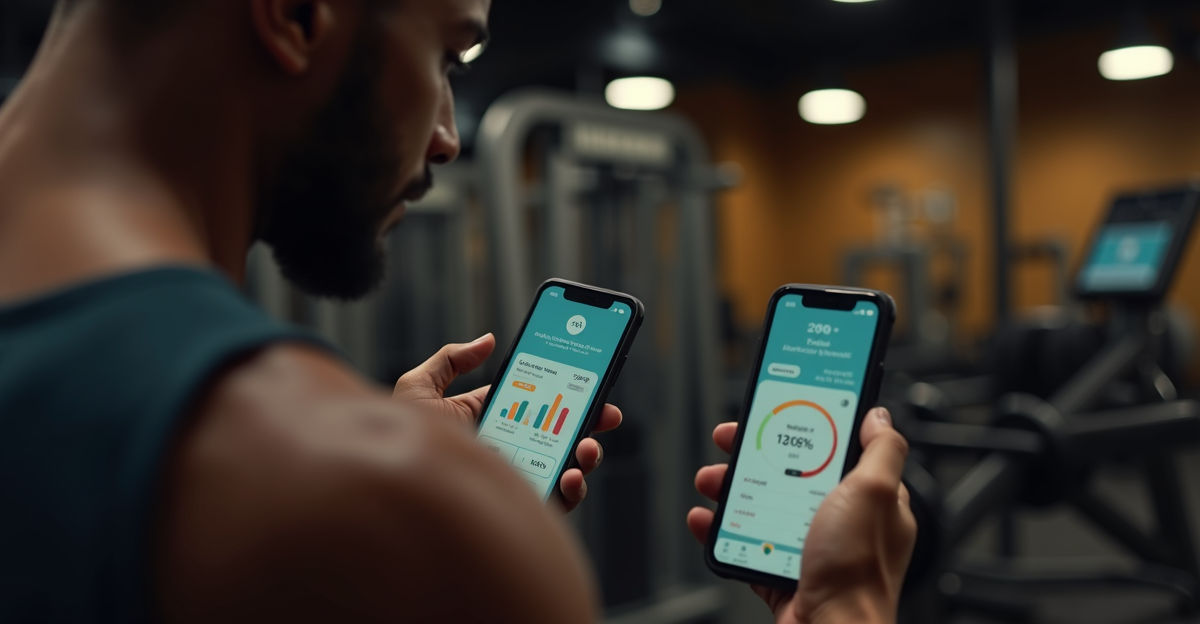
MacroFactor coaches you. It uses your logged food intake and bodyweight data to estimate your actual metabolic rate, then adjusts your calorie and macro targets weekly based on whether your weight trend is moving as expected. If you’re losing slower than projected, it recalculates downward. If you’re hitting recomposition targets, it adjusts accordingly. It’s a feedback loop disguised as a diet app.
Cronometer measures you. You set your calorie and macro goals manually, log your food, and Cronometer tells you where you are relative to 84 verified nutrients — vitamins, minerals, amino acids, fatty acids. It doesn’t adjust your targets. It tracks everything your body needs with lab-verified database accuracy that most apps can’t touch.
The mental model: MacroFactor is a coach that adapts to your physiology. Cronometer is a precision instrument that records what you actually put in your body.
Pricing Compared
| MacroFactor | Cronometer | |
|---|---|---|
| Free tier | No | Yes (full database, 84 nutrients, barcode scan) |
| Annual paid | $71.99/yr (Nutrition) | $49.99/yr (Gold) |
| Bundle | $89.99/yr (Nutrition + Workouts) | — |
| Practitioner plan | Not available | $39.99/mo (Pro — 10 client spaces) |
Pricing confirmed from both official sites as of March 2026.
MacroFactor’s no-free-tier stance is worth noting. It’s either a quality signal — the app doesn’t need a free hook because the paid experience is strong enough to stand on reviews — or it’s a marketing play. Based on the adaptive tracking feature alone, the $71.99/year price holds up. But it does mean you’re committing blind unless you use the free trial.
Cronometer’s free tier is genuinely one of the best free nutrition tracking options available. Barcode scanning, full database, 84-nutrient tracking, no calorie limits. The Gold upgrade adds photo logging, macro scheduling by day, and custom charts. The free version alone beats MyFitnessPal’s free tier on data accuracy.
The Thing MacroFactor Actually Gets Right (And Where the “AI” Label Is Oversold)
Here’s our honest take: MacroFactor’s adaptive expenditure algorithm is real, and it works. But “AI” is doing a lot of marketing work in this space, and MacroFactor isn’t immune to it.
What the app actually does: it calculates a rolling weight trend from your daily weigh-ins, compares that trend to your expected weight change given your logged intake, and updates your energy expenditure estimate accordingly. Then it adjusts your macro targets to keep you on track toward your goal.
That’s not generative AI. That’s a well-designed feedback loop built on metabolic modeling. But here’s the thing — that’s actually better than what most AI fitness apps do, which is generate a workout or meal plan using a language model and call it personalized. MacroFactor’s algorithm uses your actual physiological data. It gets more accurate over time because it’s learning about your metabolism specifically. It won a Google Play Best of 2024 Award, which suggests enough users found it actually worked.
The AI label is oversold. The underlying feature is legitimately one of the best in the consumer fitness app space.
Most fitness apps that claim to “adapt to you” don’t. They ask your weight once, set a goal, and never touch it again. MacroFactor’s targets move. That’s the real differentiator — not the AI branding.
Cronometer’s Micronutrient Edge (And Why Most Fitness Apps Ignore This)
Cronometer’s competitive advantage is depth most fitness apps don’t bother with because most users don’t demand it.
The food database pulls from the USDA National Nutrient Database and other lab-verified sources. Every entry is verified by Cronometer staff — not crowd-sourced. That matters enormously if you’re tracking iron for an athlete with low ferritin, or vitamin D and calcium for a client with a deficiency, or omega-3 to omega-6 ratios for someone with inflammatory conditions.
MacroFactor tracks macros and calories well. Micronutrients? It’s there but it’s not the point. If micronutrient accuracy is why you’re tracking, Cronometer isn’t even close competition — it’s a different category.
Cronometer Gold adds some practical tools: photo logging (snap a meal, identify ingredients), Macro Scheduler (different macro targets for different training days), custom charts that let you correlate nutrients with biometrics over time. These are useful but incremental. The core database is what makes Cronometer worth paying for.
Head-to-Head: Who Should Pick Which App
Pick MacroFactor if:
- You’re focused on body recomposition — losing fat while maintaining or building muscle
- You train consistently and want your calorie targets to actually reflect your changing metabolism
- You want to stop guessing whether your deficit is working and have data tell you
- You’re a self-coached lifter who doesn’t need a practitioner managing your account
Pick Cronometer if:
- You’re a personal trainer, dietitian, or practitioner managing multiple clients (Cronometer Pro at $39.99/mo gives 10 client spaces, each getting Gold features)
- Your goal is micronutrient completeness — tracking vitamins, minerals, amino acids, not just macros
- You’re tracking for a specific health condition where precision matters
- You want to start free and decide later (Cronometer’s free tier is robust)
Pick neither if:
- You’re a beginner. MyFitnessPal’s free tier or Cronometer’s free tier is enough. Don’t pay for adaptive features you can’t yet interpret.
What Personal Trainers Actually Use
This is the question most comparison articles skip. Here’s the practical answer.
Cronometer Pro is the standout for client-facing work. At $39.99/month, you get 10 client spaces. Your clients get Gold features for free while they’re listed under your account. You can view and manage their diaries, generate nutrition reports for EMR documentation, and message securely. It’s HIPAA and GDPR compliant. For a working trainer managing nutrition alongside programming, this is a real professional tool.
MacroFactor has no multi-client management. It’s built for individual self-coaching. There’s no practitioner tier, no client dashboard, no reporting. If you want to use it as a trainer, you’re recommending an app to your clients, not managing them through it.
The dual setup makes sense for many trainers: MacroFactor for your own training, Cronometer Pro for clients. Not the cheapest outcome, but both tools doing what they’re actually designed for.
Frequently Asked Questions
Does MacroFactor track micronutrients like Cronometer?
No. MacroFactor focuses on macros and adaptive calorie targets — its core value proposition is the adaptive algorithm, not nutrient depth. Cronometer tracks 84 verified nutrients from lab-grade sources. If micronutrient precision matters, Cronometer is the tool.
Is MacroFactor’s AI actually adjusting my calories, or is it just marketing?
It’s a real adaptive algorithm. It compares your weight trend to your expected trend based on logged intake, then updates your energy expenditure estimate and adjusts targets weekly. It’s not a language model generating advice — it’s a feedback system trained on your data. That makes it more reliable, not less. But “AI” is still doing marketing work in the branding.
Can I use both apps at the same time?
Yes. Some serious athletes track macros in MacroFactor for the adaptive targets, then run periodic micronutrient audits in Cronometer’s free tier. It’s not seamless — you’d need to log in both — but for people who need both capabilities, it works.
Which is better for weight loss specifically?
MacroFactor. The adaptive calorie targets account for metabolic adaptation as you lose weight — a well-documented phenomenon where metabolism slows in response to deficit. Static apps set a number once and leave it. MacroFactor’s targets move with your physiology.
Does Cronometer have a free version worth using?
Yes — and it’s genuinely one of the better free options in nutrition tracking. You get the full food database, barcode scanning, and 84-nutrient tracking with no calorie limit. The free tier beats most paid tiers on data accuracy. You don’t need Gold to get most of Cronometer’s core value.
The Bottom Line
MacroFactor is the better self-coaching tool for serious athletes. Cronometer is the better tool for practitioners and anyone who needs clinical-grade micronutrient data.
Start with Cronometer’s free tier if you’re budget-conscious — it’s genuinely excellent and there’s no commitment. Try MacroFactor’s free trial if body recomposition with adaptive targets is your goal.
The fitness app space is full of apps that claim to use AI and don’t. MacroFactor actually does something meaningful with your data. That’s rare enough to be worth the price — just don’t call it more than it is.